Notebook
Sources and viewer on one screen.
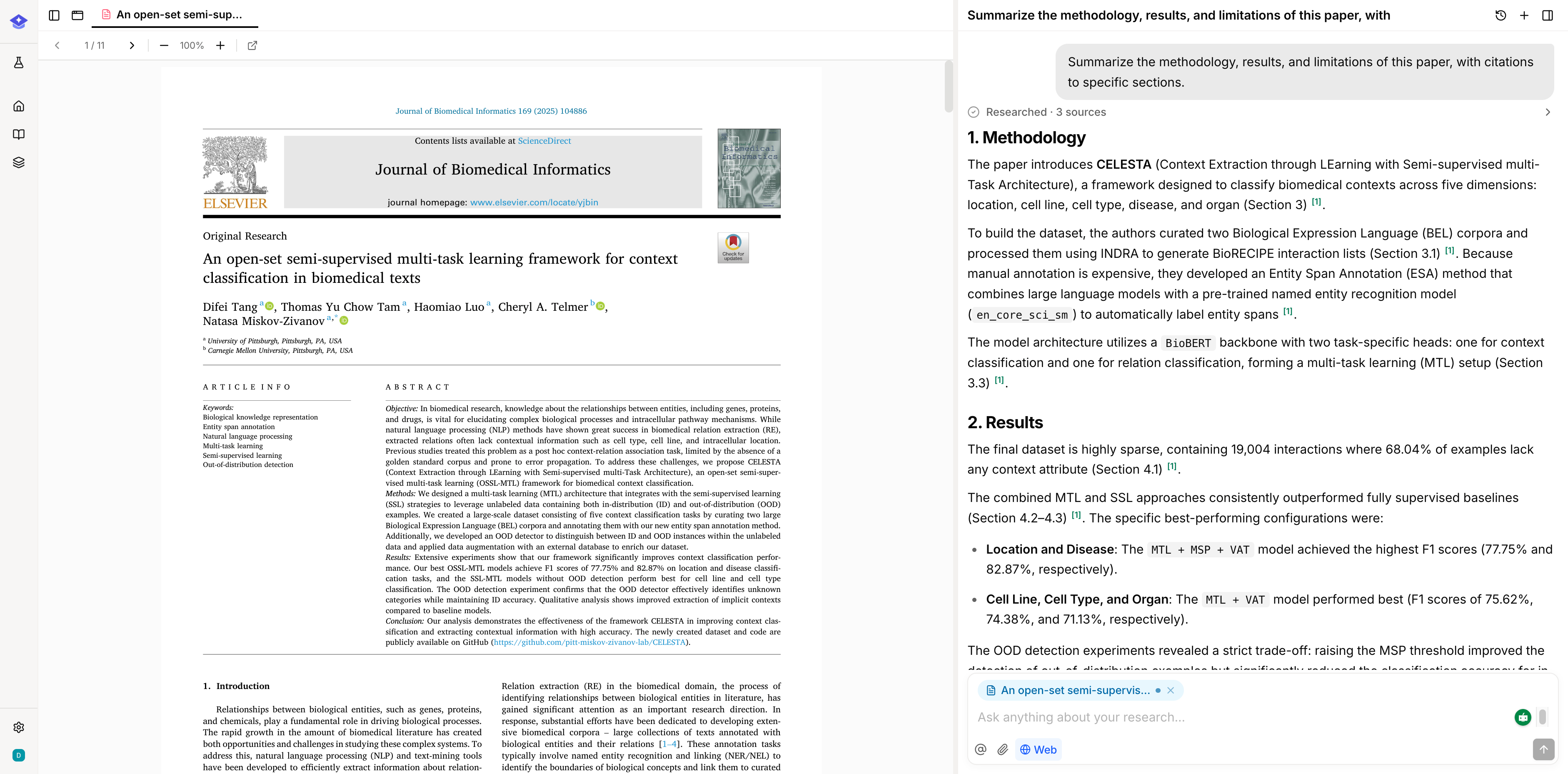
PDFs, papers, notes, and web pages open in a viewer beside the thread, so you can ask about the paragraph in front of you.
Read without losing the thread.
Opening a source does not replace the conversation. The viewer takes its own pane, so you can read a methods section and ask about it in the same breath, then move to the next source without rebuilding context.
- Viewer and thread share the screen rather than swapping
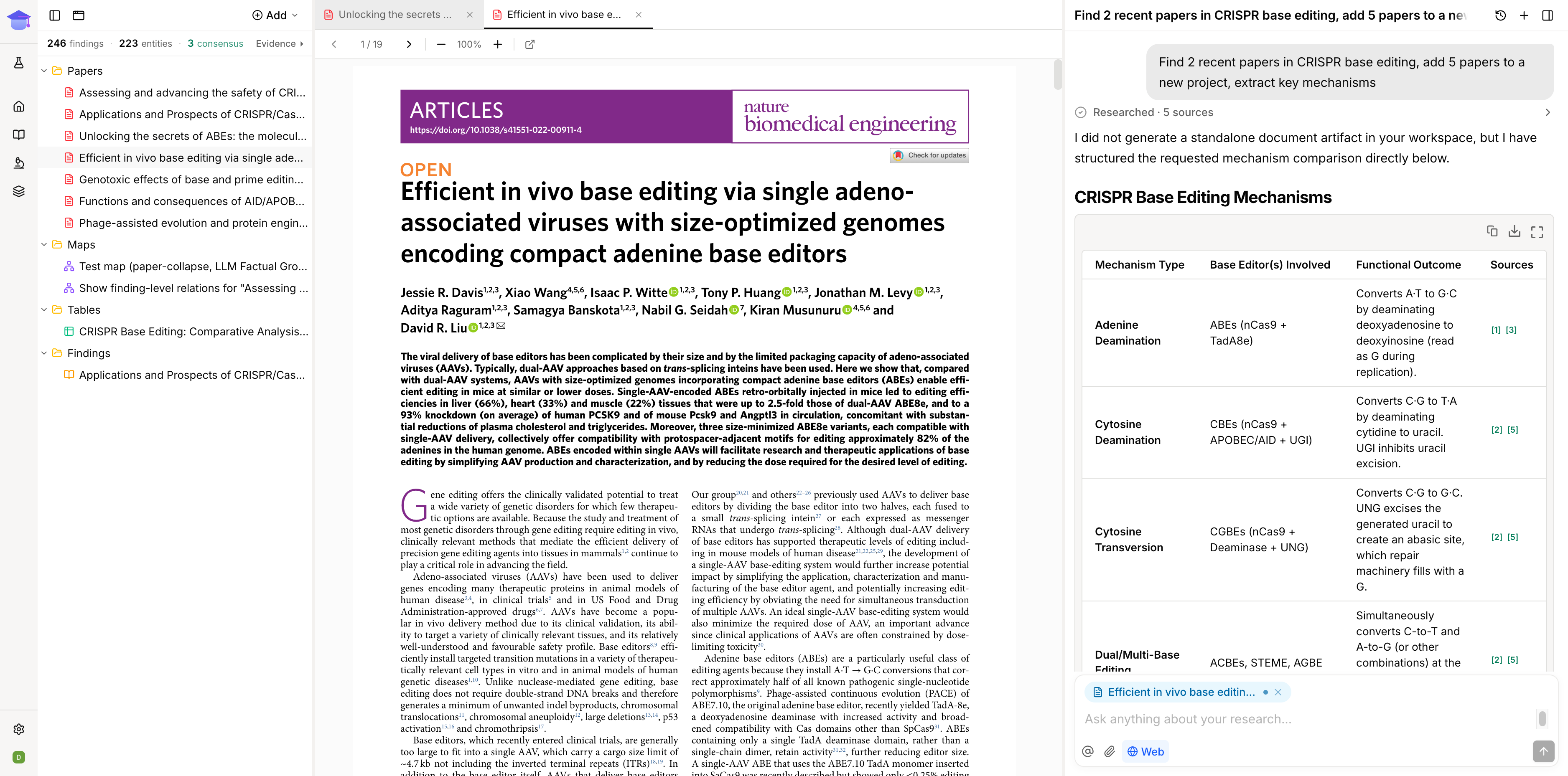
- Several sources can stay open across tabs
- PDFs render as PDFs; text-backed papers and web pages render as readable text
Land on the right passage.
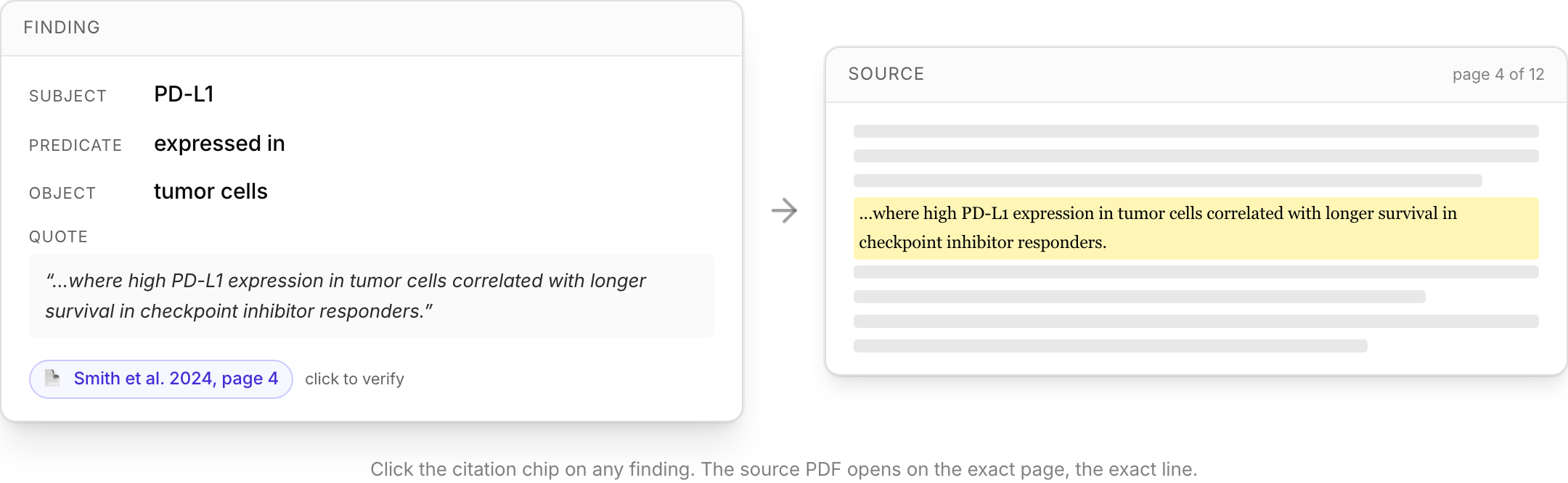
Citations, search hits, and source cards all open the viewer at the passage they refer to and highlight it, so you arrive at the sentence in question instead of the top of a forty page paper.
- Citations scroll the source to the cited passage
- The passage is highlighted so you can see what was used
- Works for PDFs and for text-backed papers and web pages