The open-source AI notebook for scientific research.
Add papers, PDFs, and web pages to one project and ask questions across all of them. Every answer links back to the passage it came from.
Ask it. Every answer cites the source.
Open Research Notebook is closer to a NotebookLM-style project workspace than a disposable chat. Sources, retrieval, reading, citations, and outputs share the same surface.
- 01
Collect the source set
Start with PDFs, web links, Markdown notes, and saved outputs inside one project notebook.
- 02
Ask from the notebook
The agent checks project sources first, so answers begin from material you already trust.
- 03
Search when context is missing
Open web paper search only when the notebook needs outside evidence, then scan and open focused passages.
- 04
Keep citations inspectable
Inline citations, opened passages, and generated artifacts stay connected to the notebook.
Four surfaces, one project.
Manage notebooks, ask across their sources, read the originals, and generate the output. Each step hands off to the next without leaving the project.
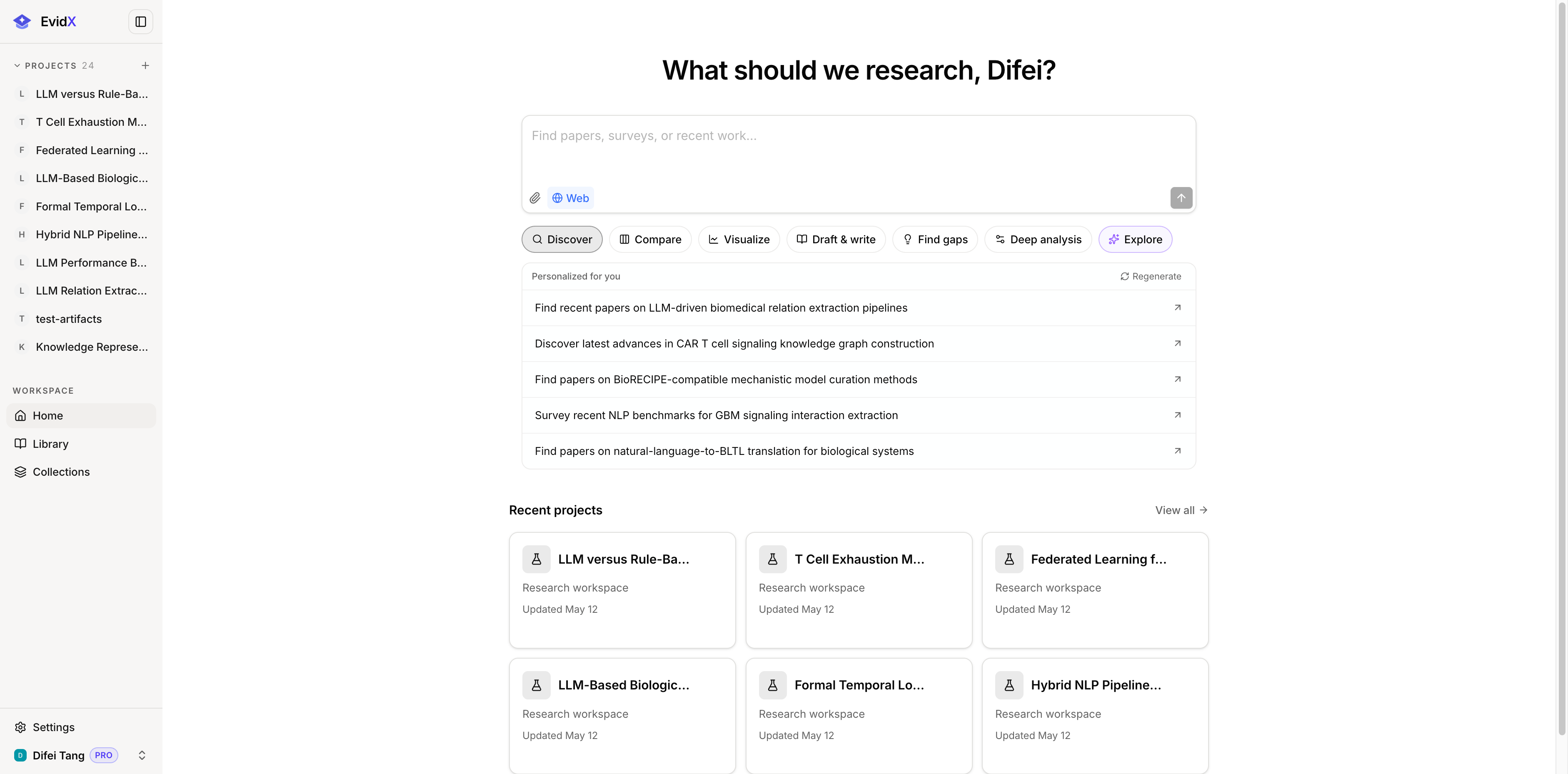
One notebook per question.
Create a notebook per paper set or question, and its sources, threads, and outputs stay scoped to it.
Explore the workspaceAnswers that carry their citations.
Every claim in an answer keeps an inline citation, and opening one jumps to the highlighted passage in the original PDF.
See how chat works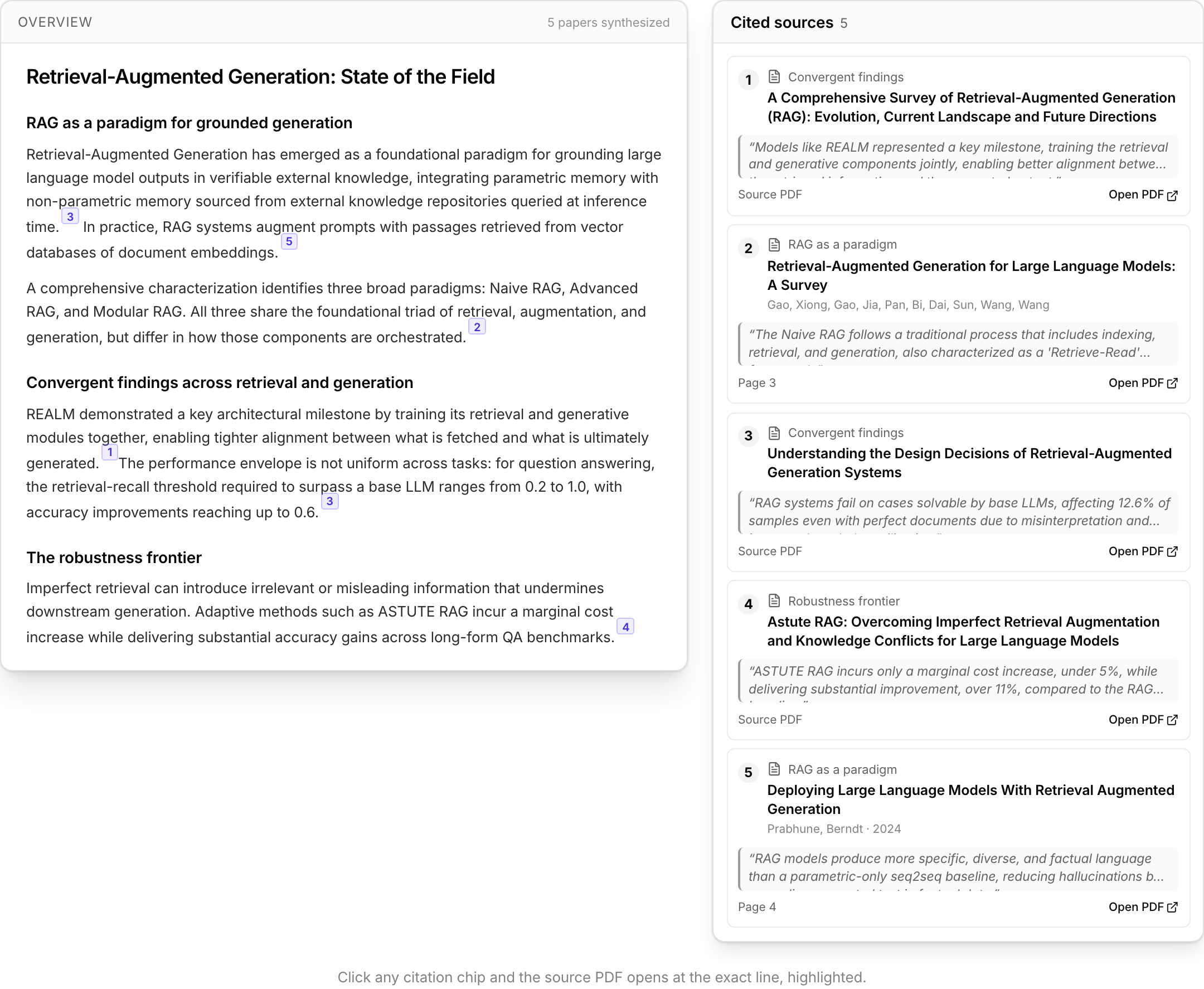
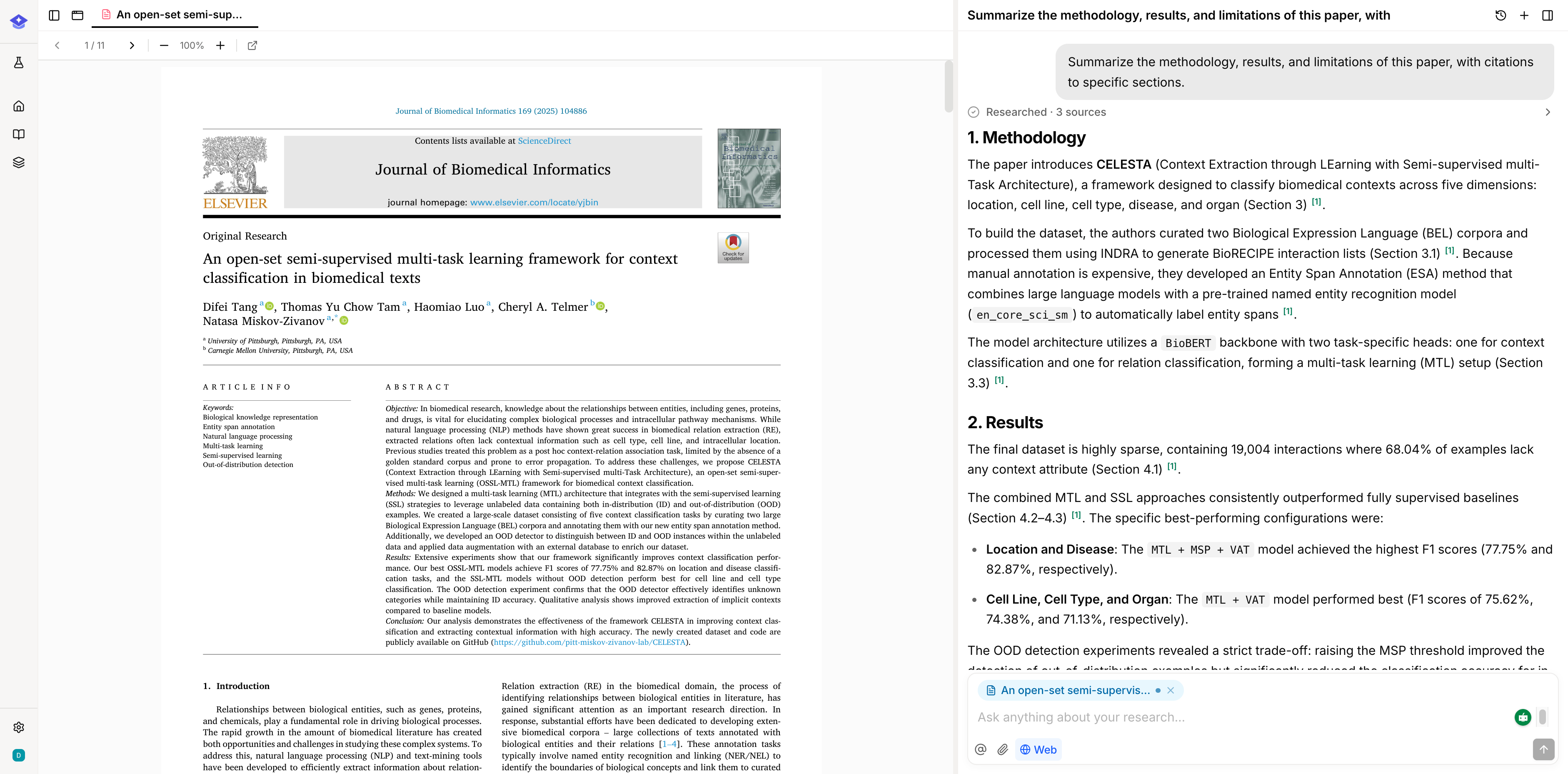
Sources and viewer on one screen.
PDFs, papers, notes, and web pages open in a viewer beside the thread, so you can ask about the paragraph in front of you.
Explore the notebookTurn a notebook into a deliverable.
Generate a report, table, or mind map from your sources, and it lands back in the notebook next to the citations behind it.
Explore Studio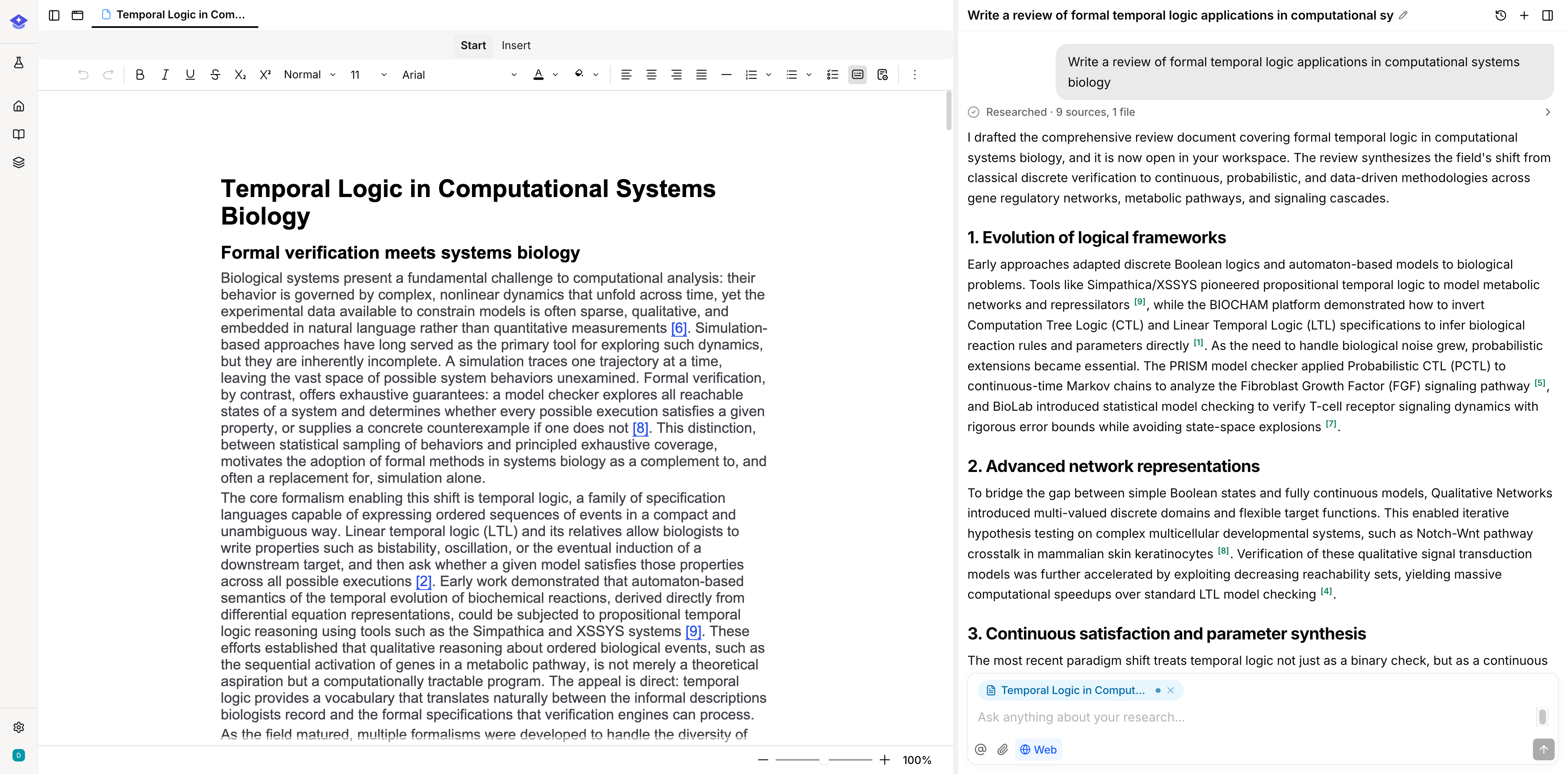
Build a research notebook you can inspect and extend.
Open Research Notebook is for source-grounded work: collect the sources, ask the question, inspect the citation, and keep the result in the project.