Studio
Turn a notebook into a deliverable.
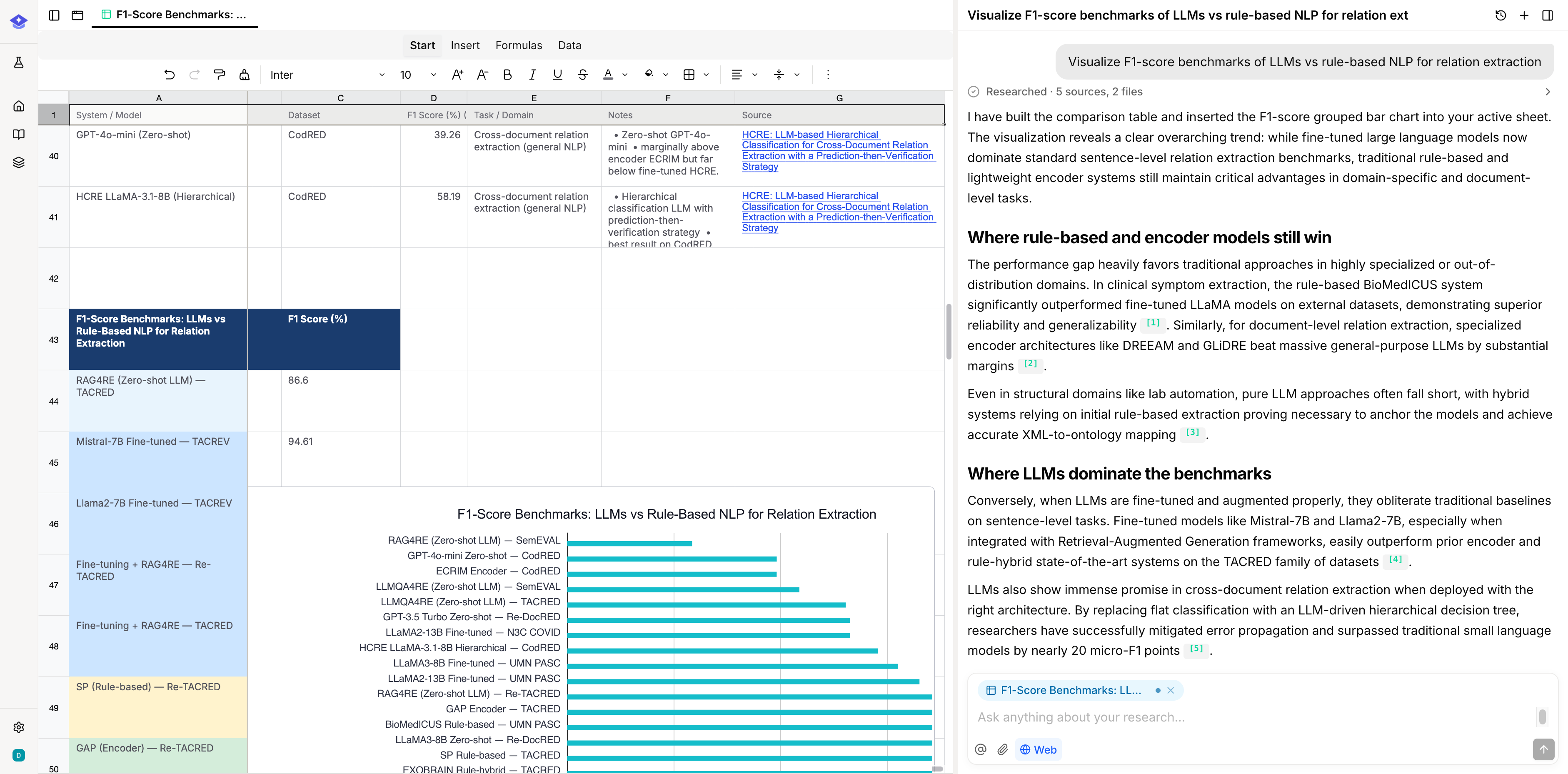
Generate an overview, a report, a comparison table, or a mind map from your sources, and it lands back in the notebook with the citations behind it.
Four kinds of output.
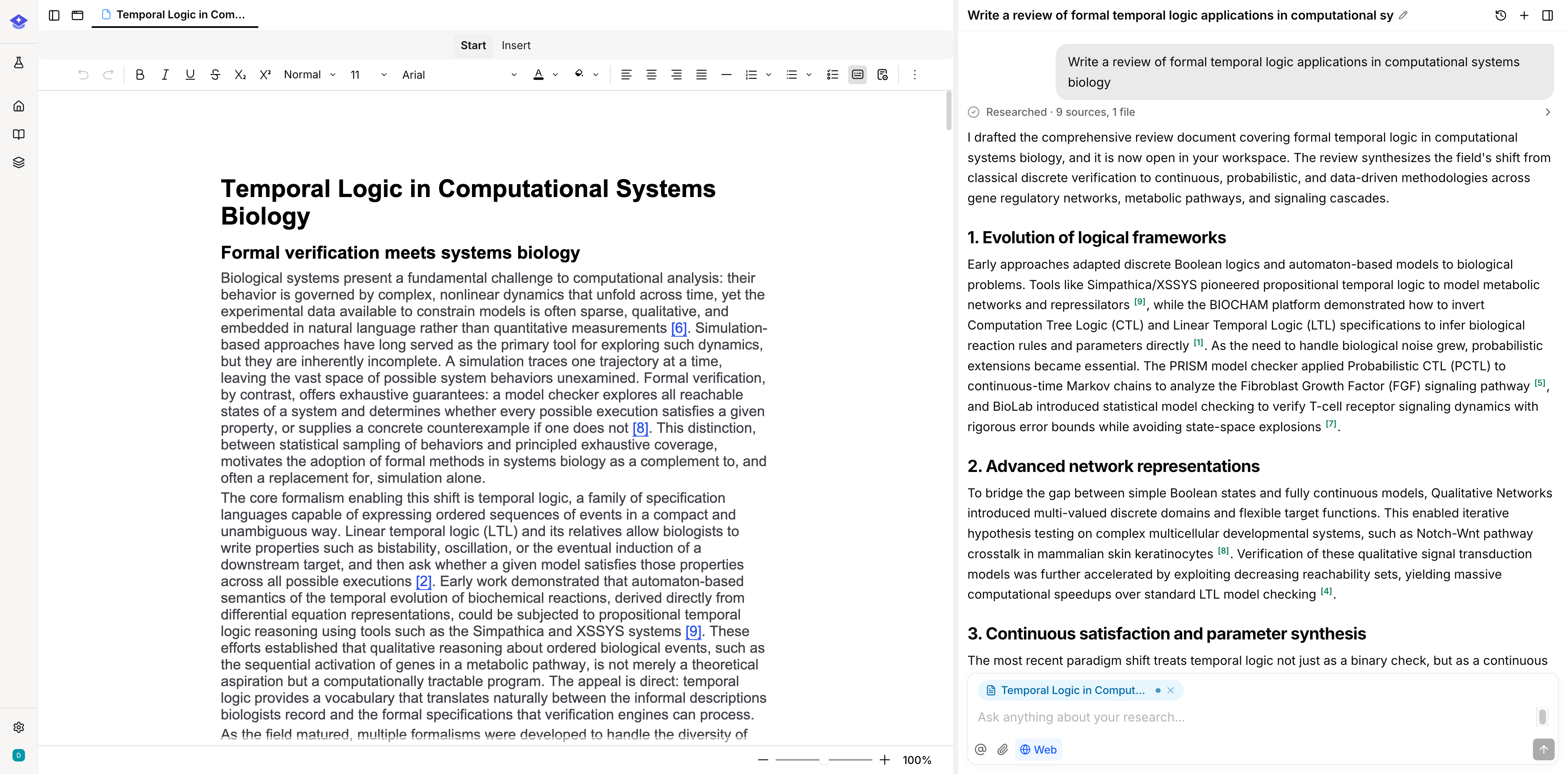
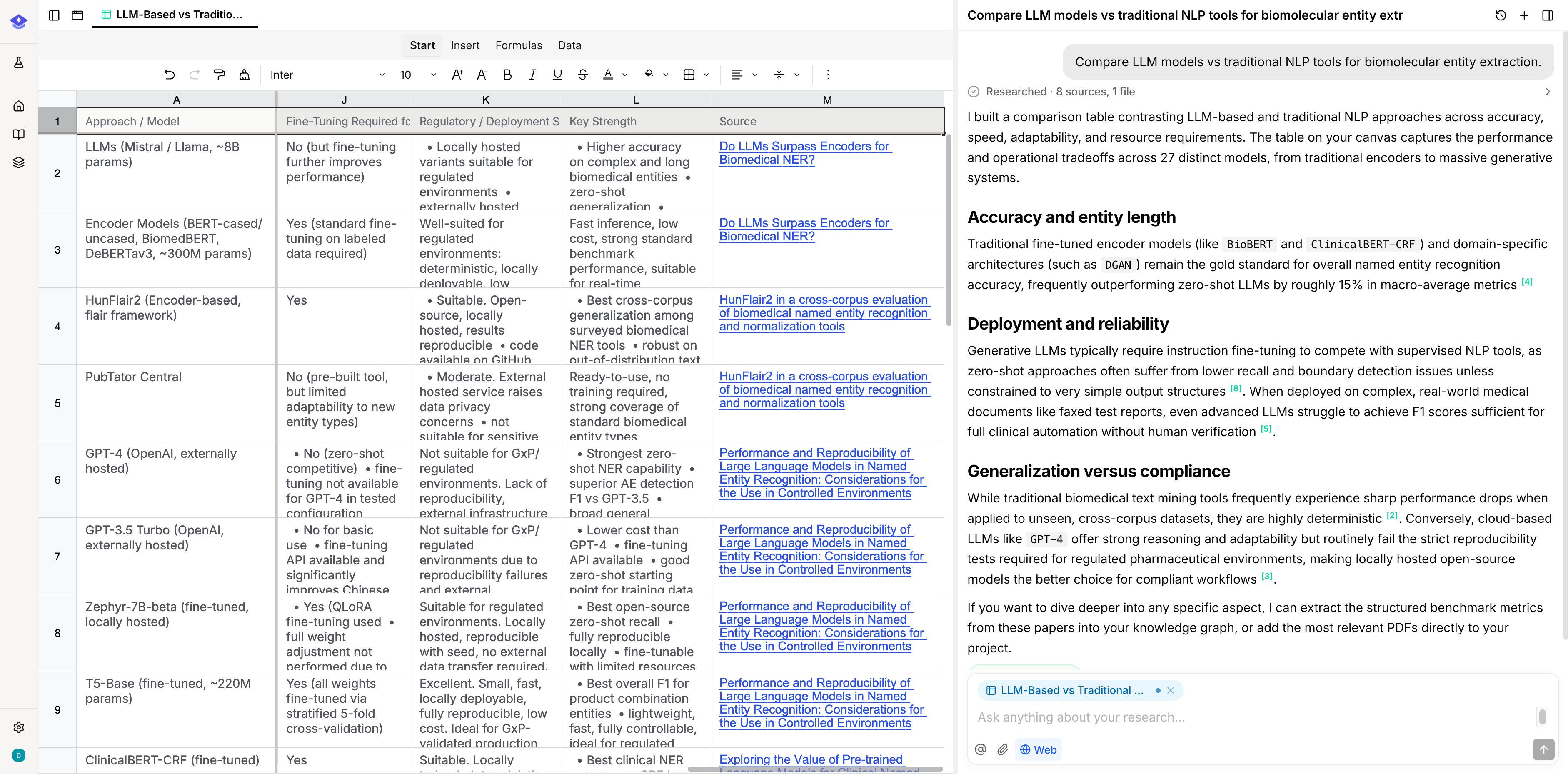
An overview to orient yourself in a new source set, a report to write from, a table to compare studies side by side, and a mind map to see how the themes relate. Each one is generated from the notebook's sources rather than from a blank page.
- Overview and report render as editable documents
- Tables compare sources row by row
- Mind maps lay out the themes across the source set
Outputs stay with their sources.
A generated artifact is saved into the notebook that produced it, next to the sources it drew on. Months later the table still sits beside the papers behind it, so you can check a row instead of trusting it.
- Artifacts are saved as notebook outputs, not loose downloads
- The sources that produced an artifact stay in the same notebook
- Generated text keeps the citations it was written from